
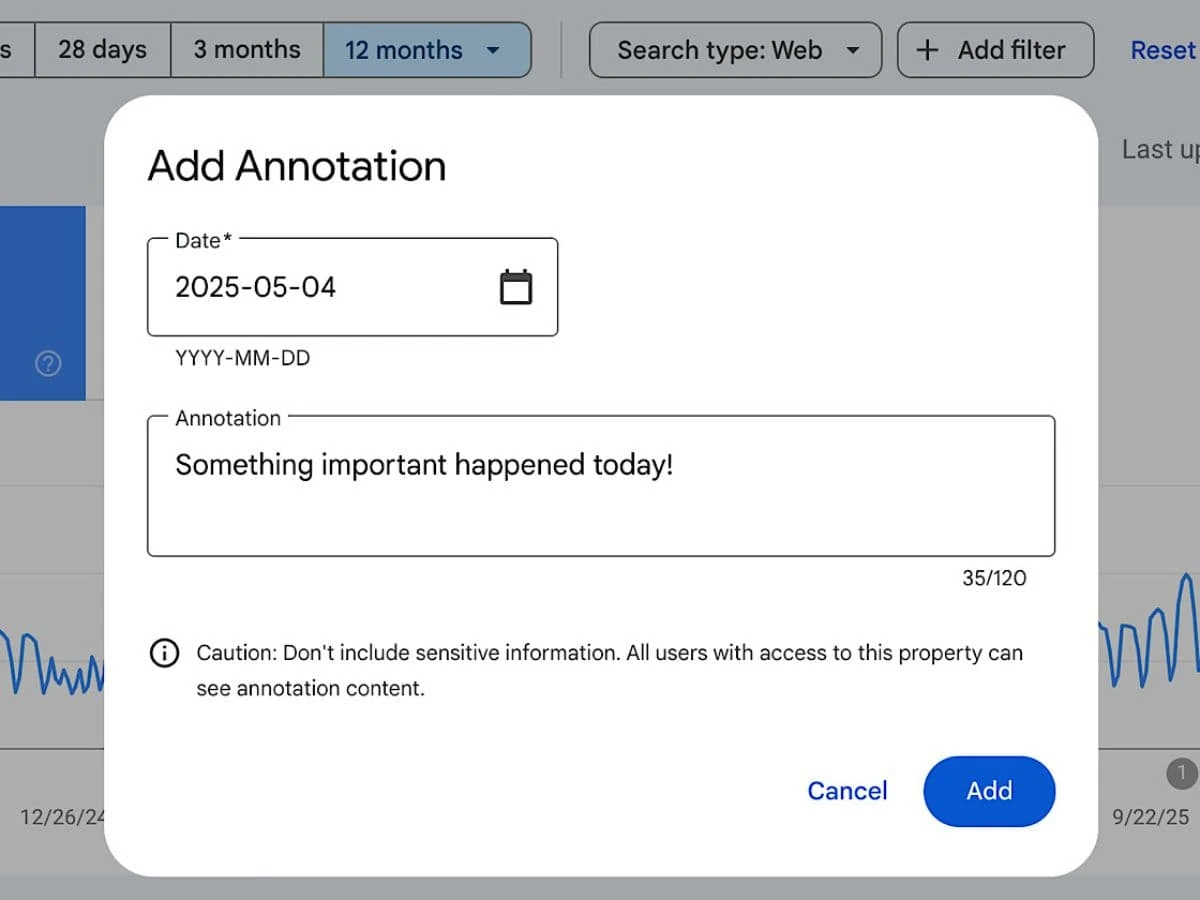
Google has updated an important new feature for SEOs and website owners — Custom Annotations in Google Search Console. The update makes it easy for marketers to track changes. It helps you measure performance the right way. You can also see how every update impacts your search visibility. In this blog, we will explain what this feature is, how it works, and why it is important for your SEO strategy in 2026.
Introduction
SEO success depends on knowing what impacts your website’s performance. Google has made this simple with the new Custom Annotations feature in Google Search Console (GSC). Earlier, website owners had to keep notes in spreadsheets or other tools. Now, you can add notes directly inside GSC. This makes tracking performance simple, clear, and more visual.
This new feature will make your work simple. this helps digital marketers, SEO experts, and website owners. You will get quicker and clear decisions..
Custom Annotations in Google Search Console: What Are They?
With the new update, Google Search Console allows you to add custom tags. You can highlight key dates in your performance reports. It helps you understand what happened and when.
These notes act as reminders or checkpoints for events like:
- Website changes
- Algorithm updates
- Content updates
- Technical fixes
- Campaign launches
- Indexing issues
- SEO experiments
Annotations help SEO specialists. They show why impressions, clicks, or rankings change on a certain day.
What makes Custom Annotations significant for SEO?
This update directly improves the SEO workflow. Here’s how:
1. Better Tracking of SEO Activities
You no longer need external tools to track important dates.
You can now highlight major SEO tasks like content updates, technical fixes, or new backlinks, and analyze how they affected performance.
2. Clear Impact Analysis After Google Updates
When a major Google Algorithm Update happens, rankings can rise or fall.
With annotations, you can mark the exact date of the update and easily compare performance before and after it.
3. Improved Team Collaboration
SEO teams and agencies can keep track of who made what change and when.
This boosts transparency and avoids confusion.
4. Faster Decision Making
Annotations help you quickly identify:
- What increased traffic
- What caused drops
- Which strategy delivered results
This saves time and improves accuracy.
How to Use Custom Annotations in Google Search Console
Google has made it very easy to use this functionality. Here is the steps to follow
Step1: Open Google Search Console.
Go to your property and open the Performance Report.
Step 2: Click on “Annotations”
You will find an option to add Custom Annotations at specific dates.
Step 3: Add Your Note
Mention what update or event happened on that date.
Example:
- “Published new blog on SEO trends”
- “Fixed 404 errors”
- “Core update rolled out”
Step 4: Save and Track
Once added, you can view the annotation on the performance graph.
This helps you understand your website’s growth pattern with clear context.
Benefits for Businesses and Agencies
1. Better SEO Reportinges
Agencies can clearly show clients what changes were made and how they affected performance.
2. Simplifies Data Analysis
Annotations help filter noise and highlight important events that impacted search results.
3. Stronger SEO Strategies
By analyzing data with annotations, businesses can build smarter SEO plans for the future.
Conclusion
The update of Custom Annotations in Google Search Console is an amazing feature for every SEO professional. It allows to monitor the changes, get the reasons of ranking shifts, and create more powerful SEO strategies based on data. In 2026, when SEO gets more AI and competition driven, marketers will be able to make not only faster but also smarter choices thanks to such tools as custom annotations.
Google’s new custom annotations feature can help. It provides clearer insights, better reporting, and more accurate SEO analysis. Today, use Custom Annotations in GSC and elevate your SEO performance.