
Objective
Try using Gemini AI to look over your Google Business Profile, then throw out some practical upgrade ideas, and produce SEO-focused posts that are a bit more precise. After that you can schedule everything automatically, without manually doing it all the time. It’s kind of like get insights , then turn them into real content, and just let it run, though, you might still do a quick check once in a while.
Step 1: Open Gemini
Visit Gemini.
Sign in using the same Google account that runs your Google Business Profile .
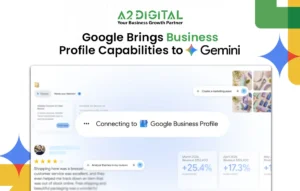
Step 2: Connect Google Business Profile
@Google Business Profile
(or select Google Business Profile from the available Google apps.)
Now select the business profile you want Gemini to access.
Example: A2 Digital
Step 3: Pull Your Business Profile
Use this prompt:
Pull my Google Business Profile.
Gemini will fetch available information such as:
- Business Name
- Address
- Phone Number
- Website
- Reviews
- Photos
- Categories
- Working Hours
- Posts (if available)
Step 4: Analyze Your Profile
Now ask Gemini:
Can you analyze my Google Business Profile and give me very detailed suggestions to fix Local SEO a bit , help with customer engagement , and also improve how complete the profile is. I want to know what to adjust for better ranking and more conversions too, like what photos to change, what categories to refine, the whole thing, not just the basics… also if there’s anything that looks weak or inconsistent, tell me.
Gemini can provide recommendations about:
- Missing information
- SEO improvements
- Category optimization
- Services
- Products
- FAQs
- Review management
- Images
- Profile strength
- Competitor opportunities
- Weekly posting strategy
Step 5: Generate SEO Content
Prompt:
Create 30 Google Business Profile posts for the next 30 days.
Requirements:
- SEO optimized
- Attractive headline
- 150–300 words
- CTA
- Relevant hashtags
- Local keywords
- Human-friendly language
- Different content every day
Step 6: Generate Images
Prompt:
Generate image ideas for every post.
Each image should match the post topic and be suitable for Google Business Profile.
You can also ask:
Generate image prompts for Canva or ChatGPT Image Generator.
Step 7: Create Weekly Content Calendar
Prompt:
Create a weekly posting calendar.
- Monday:
- Tuesday:
- Wednesday:
- Thursday:
- Friday:
- Saturday:
- Sunday:
Mention the post topic, objective, CTA, and keywords.
Step 8: Auto Scheduling
Prompt
Schedule all generated Google Business Profile posts according to the best posting times and organize them in a publishing calendar.
Gemini may suggest suitable schedules based on your profile and engagement.
Step 9: Review Strategy
Prompt:
Analyze my customer reviews.
- Identify common positive points.
- Identify customer complaints.
- Suggest improvements.
Create professional responses for positive, negative, and neutral reviews.
Step 10: Competitor Analysis
Prompt:
- Find my top local competitors.
- Compare their Google Business Profiles with mine.
- Identify what they are doing better.
- Suggest an action plan to outrank them.
Step 11: Local SEO Improvement Plan
Prompt:
Create a 90-day Local SEO roadmap for my Google Business Profile.
Include weekly tasks, optimization checklist, posting plan, review strategy, image strategy, and ranking improvement tips.
Step 12: Monthly Performance Analysis
Prompt:
Analyze my Google Business Profile performance and prepare a monthly report including:
– Visibility
– Calls
– Website Clicks
– Direction Requests
– Reviews
– Ranking Opportunities
– Recommended Actions
Step 13: Fully Automated Posting Workflow
Once Gemini understands your business, use:
Every Monday:
- Analyze my Google Business Profile.
- Check profile performance.
- Suggest improvements.
- Create seven SEO-optimized posts.
- Generate image ideas.
- Schedule posts for the entire week.
- Recommend new keywords.
- Suggest review responses.
- Provide a weekly performance report.
- Bonus Prompt (Complete Automation)
Every week:
- Analyze my profile.
- Identify optimization opportunities.
- Generate SEO-friendly Google Business Profile posts.
- Suggest image ideas.
- Recommend the best posting schedule.
- Prepare review responses.
- Track Local SEO performance.
- • Recommend ranking improvements.